
Know which emails are sent
See who is notified, what triggers it, and what to do next.
Vendor messages use the shop administrator inboxes. Changing your public shop introduction does not change that inbox.
Payment received
When an order reaches PaymentSettled, the vendor receives “Payment received for order #…”. The customer also receives a payment result. Open the order to review its current state.
Shipment and delivery
The customer receives tracking when a shipment becomes Shipped, and a delivery update when it becomes Delivered. These transitions do not send a routine matching vendor email.
Cancellation and refunds
Order cancellation notifies the customer. Refund status updates notify both customer and vendor. A refund request or review does not mean the refund has completed.
Action-required messages
Payment manual review or other operational issues can produce a vendor alert. Read the specific action and check the order before dispatching or retrying a payment.
What you should see
You can distinguish a paid-order notification, customer tracking email and action-required alert.
Example: the customer’s shipment email
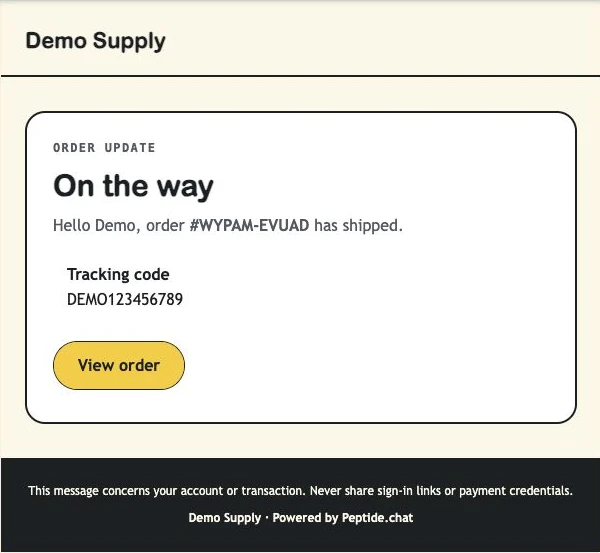
At a glance: who receives what
| Event | Customer | Vendor |
|---|---|---|
| Payment settled | Confirmation + payment result | Payment received |
| Payment declined, cancelled or errored | Payment status update | Check the order; alerts may require action |
| Shipment marked shipped | Tracking update | Check order history |
| Shipment marked delivered | Delivery update | Check order history |
| Order cancelled | Cancellation email | Check order status |
| Refund status changes | Refund update | Refund update |
If something is not right
A customer email is missing
Ask them to check the checkout email address and spam folder, then use the order page. If the address is missing or invalid, an operational alert may be sent. Queued email is not proof of inbox delivery.
Marketing preferences
Marketing choices are separate from essential transactional receipts and shipping updates.