
Ship an order & add tracking
Record the package, tracking number and items you are sending.
Confirm payment and the delivery address. Have the tracking number ready and check what has already shipped.
See where to go
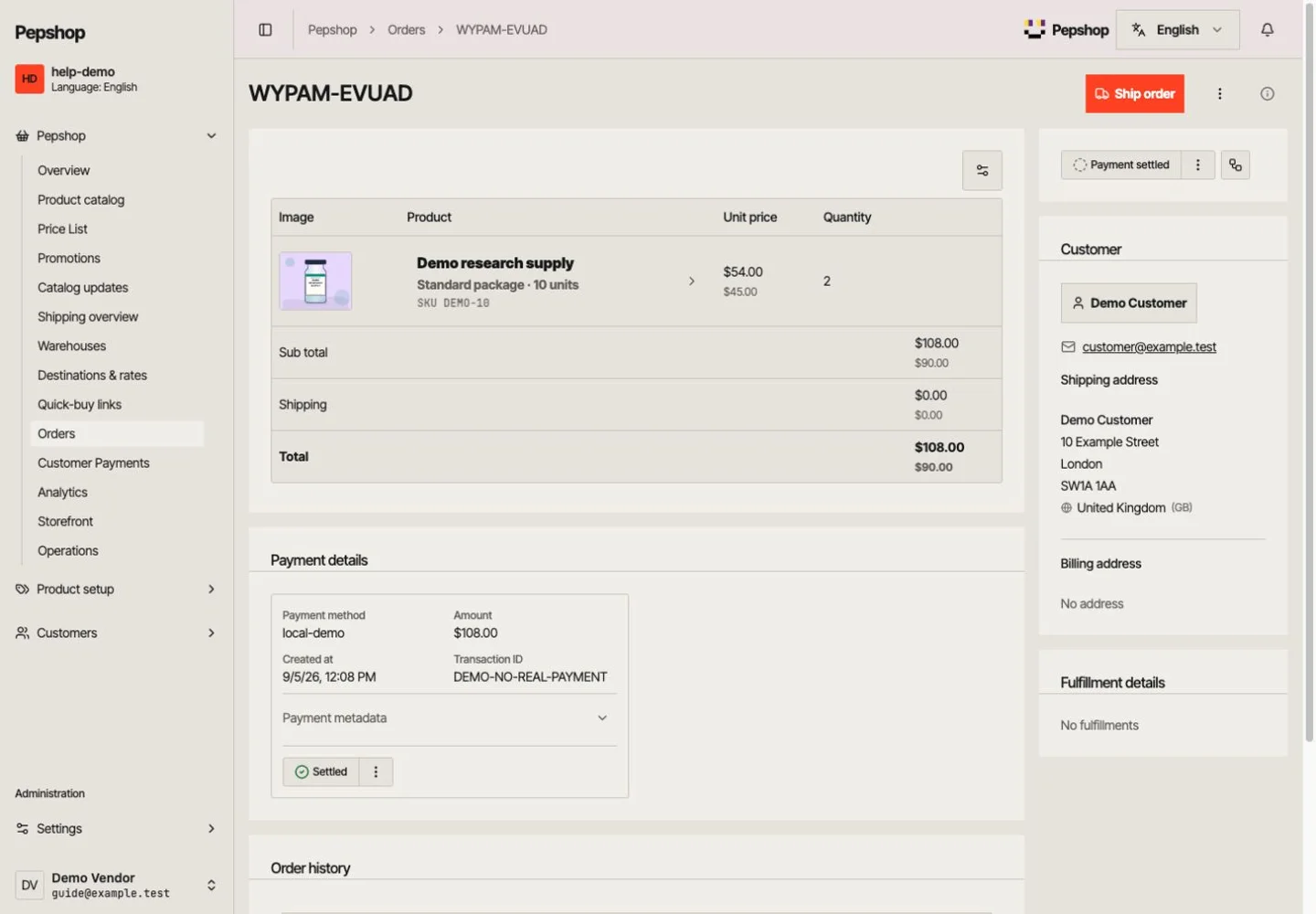
Go to Orders, select the order number and review the items, payment and address.
Download GIF walkthroughs
Download this walkthrough in English, with a pointer showing each step.
Full-screen GIF ↓Focused GIF ↓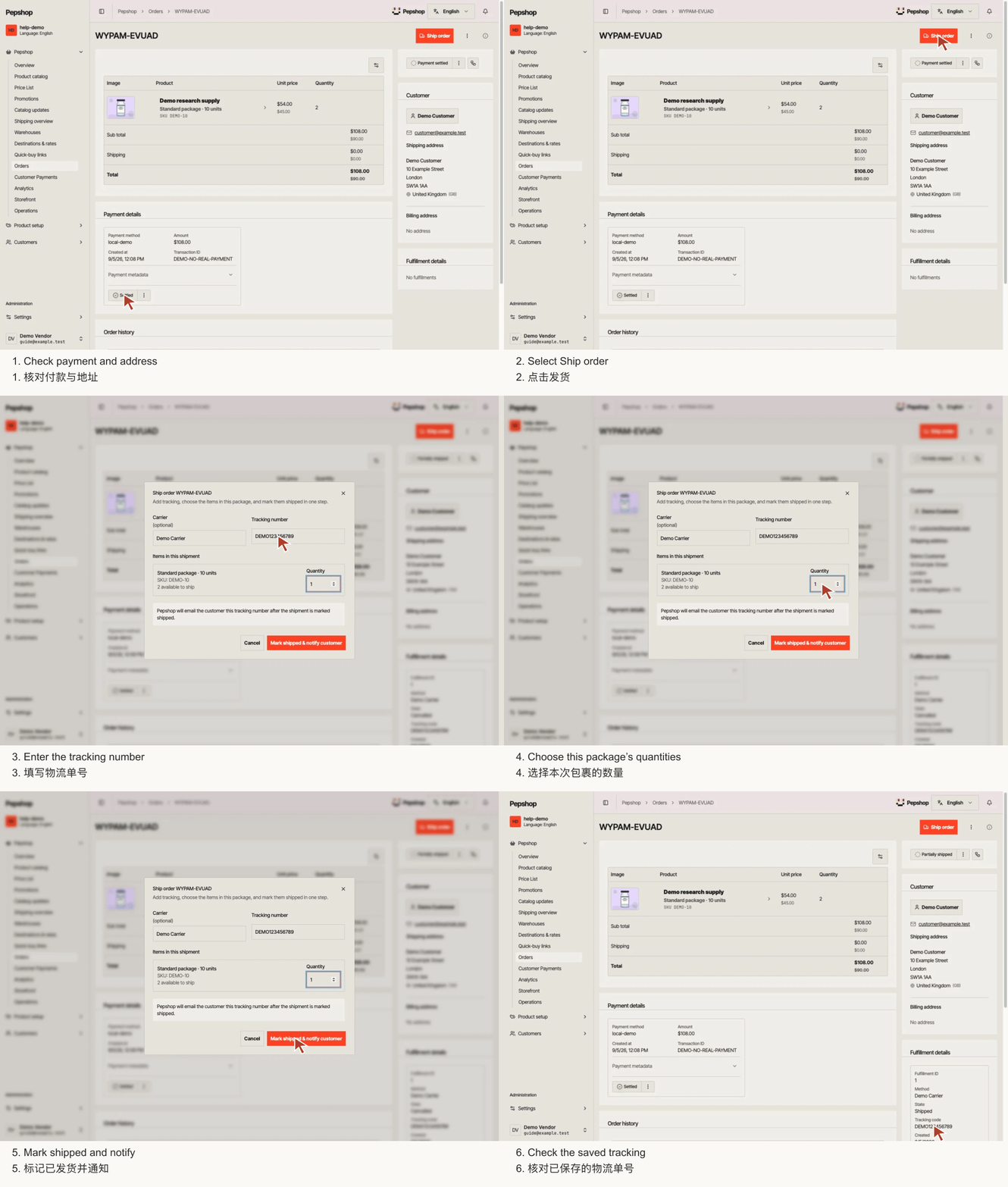
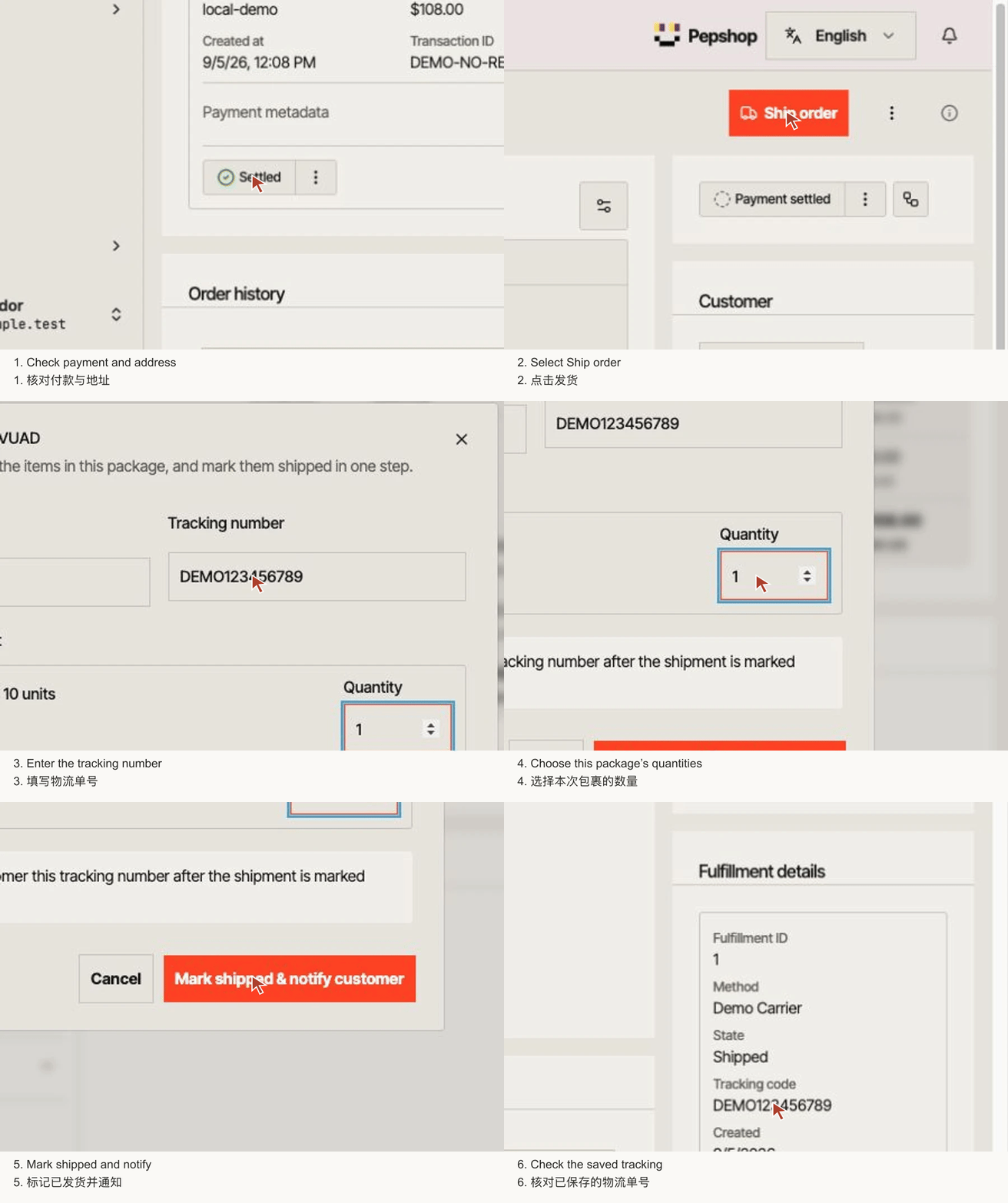
Open the paid order
Go to Orders, select the order number and review the items, payment and address.
Select Ship order
Select “Ship order” to open the shipment dialog. If it is unavailable, check the troubleshooting below.
Enter the tracking number
Tracking number is required. Carrier is optional, but include it if you know it. Check the tracking number carefully before continuing.
Choose the items in this package
Check each quantity. Set an item to 0 if it is not in this shipment. Only include what is actually being dispatched.
Mark shipped and notify
Select “Mark shipped & notify customer”. Wait for confirmation. A successful shipment queues a tracking email when a deliverable customer email is available.
Check the saved shipment
Check the shipment history and tracking number. The customer can see tracking on the authorised order page. Repeat for the remaining items when their package is ready.
What you should see
The selected quantities have a saved shipment and tracking number. Any remaining items stay separate.
If something is not right
Ship order is unavailable
Check whether items remain unshipped, payment coverage is complete and additional order changes are settled. Tracked stock can limit shipment quantities. Ask support if the order still cannot be shipped.
Tracking saved, but not marked shipped
Keep the dialog open and use “Retry marking shipped”. If you already closed it, inspect the existing shipment and contact support before creating another. This prevents duplicate shipments.
You entered the wrong tracking number
Before saving, correct it in the dialog. After saving, contact support with the order number, incorrect tracking and correct tracking. Do not create a second shipment just to replace a code.
The customer has no deliverable email
Tracking still appears on the authorised order page. An email cannot be delivered without a usable address; follow up through your established customer contact.